Download and install the mobile app Avista Time 5 – iOS
This guide shows you how to:
Section titled “This guide shows you how to:”- Downloading and installing the Avista Time 5 app – iOS
- Log in to the app the first time
Conditions
Section titled “Conditions”That you have an Apple-ID
Phone compatible with iPhone 4 with iOS 7.1.2 and later
1. Download and install the Avista Time 5 – iOS app
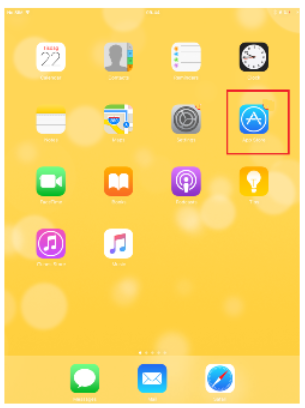
Section titled “1. Download and install the Avista Time 5 – iOS app”- Launch the AppStore by clicking on its icon.
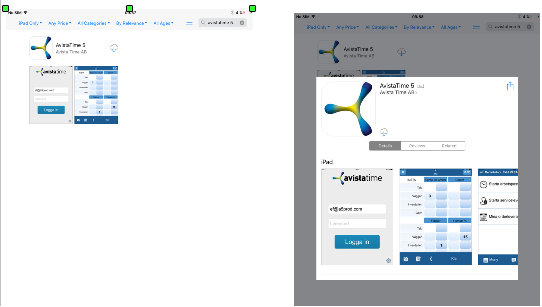
- Search by typing Avistatime 5 in the search field
- Click Download (a cloud if you downloaded it before)
- Confirm installation according to instructions on the phone / enter your Apple ID
- The app will download and appear on your home screen.
2. Log in to the app the first time
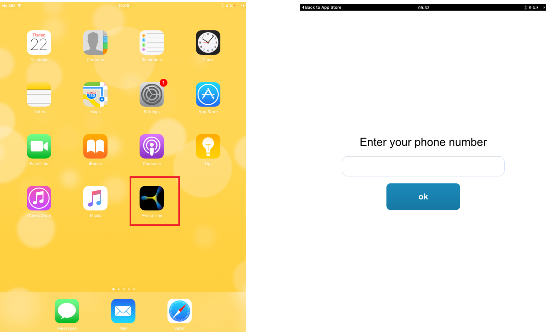
Section titled “2. Log in to the app the first time”- Launch the app by clicking the Avistatime 5 icon
- Answer the question about whether the app should access your location information.
– If you allow location information, it can be used for GPS positioning - Enter your phone number.
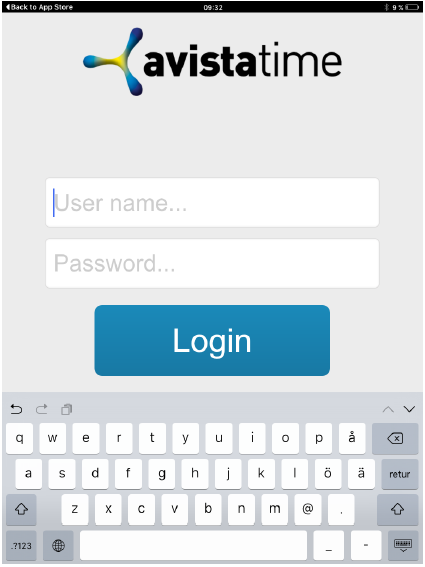
– The phone number is used to be able to reach you with messages, for notifications and in the Employee on duty function if you have access to it. - Enter the Username and Password you received
- Click on Login.