
Create Contract
Create contract
Section titled “Create contract”dec 2023
One or more contracts can belong to a customer.
- G to Customers -> All customers in top menu
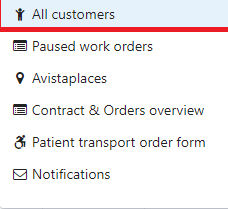
Mark Customer the contract belong to
Clich on button +Contract
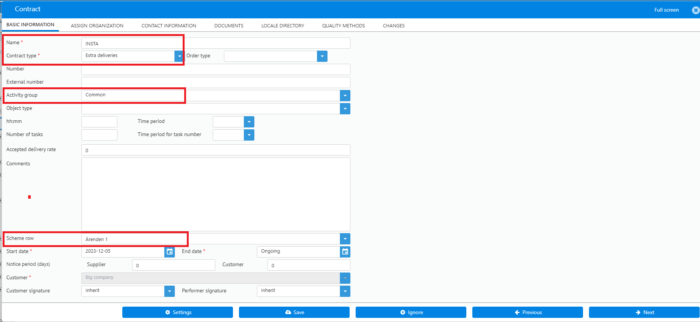
Important fields to fill in
Section titled “Important fields to fill in”- Name: Name of the contract descriptive for it’s use
- Contract name: Service deliveries or Extra deliveries (If product orders exist on subscriberr), otherwise
- Activity group, describes what activities are allowed for orders based on this contract
- Scheme row: What scheme and row orders are assigned to when created.
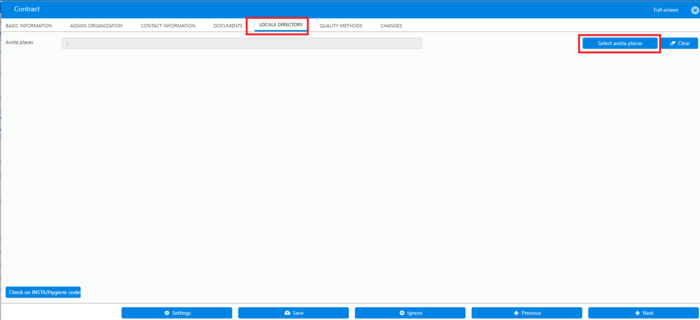
Assign contract to Local direectory
Section titled “Assign contract to Local direectory”If contract are dependent local directory
- Go to tab LOCAL DIRECTORY
- Click on Button Select avista places
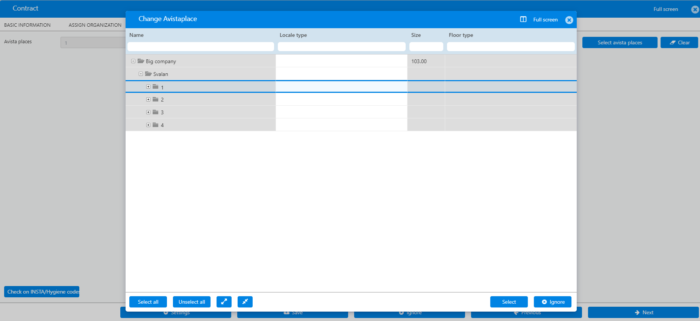
Select whole directory or a part of it
Selet Method
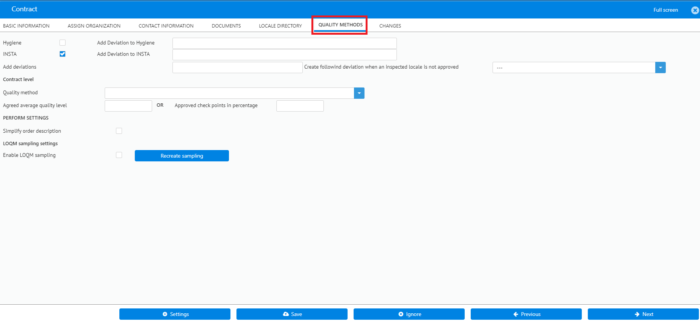
Section titled “Selet Method”goto tab Quality methods
In thi example is INSTA what you should select
SAVE